
Creating a professional travel PPT guide template can be a challenge, especially if you’re not familiar with the right tools or structure. The key is to start with a clear purpose and follow a logical framework that makes your presentation both informative and visually appealing. Whether you’re planning a trip for yourself or preparing a travel itinerary for a group, having the right template can save you time and ensure your content is well-organized. In this guide, we’ll walk you through the essential steps to create a travel PPT that’s easy to follow, visually engaging, and tailored to your needs.
Designing a travel PPT isn’t just about adding images and text—it’s about creating a clear narrative that guides your audience through the journey. A well-structured template should include sections like an introduction, destination highlights, itineraries, budget breakdowns, and travel tips. The goal is to make your presentation not only informative but also easy to navigate. By focusing on simplicity and clarity, you’ll ensure that your audience can follow along without feeling overwhelmed.
Choosing the right template is the first step. There are countless design tools and templates available, but not all are created equal. Look for a template that offers a clean layout, easy-to-edit sections, and a professional look. You can use tools like PowerPoint, Canva, or Google Slides, which offer a variety of customizable templates. When selecting a template, consider the type of travel you’re presenting—whether it’s a solo adventure, a family trip, or a business trip. The template should reflect the tone and purpose of your journey.
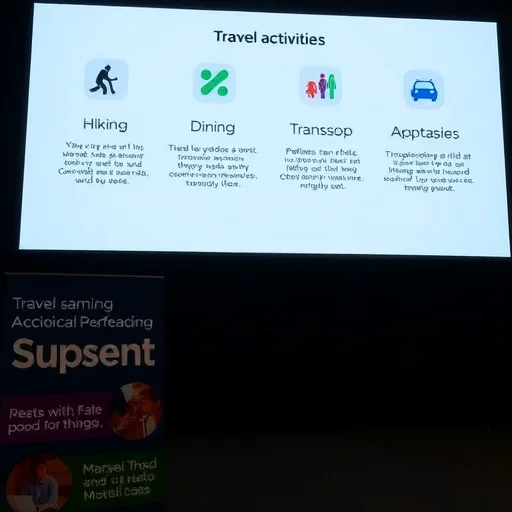
Once you’ve selected a template, it’s time to organize your content. Start with a clear title slide that includes the destination, date, and your name. Next, create an introduction that sets the tone for your trip—why you’re going, what you hope to experience, and what makes this destination special. Then, break down your itinerary into manageable sections. Use visuals like maps, photos, and icons to make your presentation more engaging. For each day or activity, include key details such as time, location, and what to expect.
A professional travel PPT should also include practical information. This could be a budget breakdown, travel tips, and emergency contacts. Including these details ensures that your audience has all the information they need to plan or follow along with your trip. Use charts, tables, and bullet points to present this information in a clear and concise manner. Avoid cluttering your slides with too much text—instead, use visuals and keywords to convey your message effectively.
Let’s take an example to make this more concrete. Imagine you’re planning a trip to Japan. Your PPT could start with a title slide that includes the destination, dates, and your name. The introduction could highlight the cultural significance of Japan and why you’re excited about this trip. Next, you could break down your itinerary into days, with each day featuring key attractions, transportation tips, and local cuisine recommendations. You might also include a budget section that outlines your expenses for accommodation, food, and activities. Finally, add a travel tips slide with advice on language, currency, and safety. This structure not only guides your audience through the journey but also provides them with valuable information they can use.
When designing your PPT, pay attention to the visual elements. Use high-quality images that reflect the destination and the activities you’ll be doing. Choose a consistent color scheme and font style to maintain a professional look. Avoid using too many different fonts or colors, as this can make your presentation feel unorganized. Instead, stick to a few key elements that complement each other. You can also add icons or symbols to make your slides more engaging and easier to read.
Finally, review your PPT to ensure it’s clear, concise, and visually appealing. Ask yourself if each slide serves a purpose and if the information is easy to follow. Make adjustments as needed to improve the flow and readability of your presentation. A well-designed travel PPT not only showcases your trip but also demonstrates your ability to plan and present information effectively.






Comments
anonymous
The tips on organizing the itinerary and using visuals really made a difference. I was able to present my travel plan in a way that was both professional and easy to understand.
anonymous
This guide is super helpful for someone who’s new to creating travel presentations. I followed the steps and ended up with a really polished PPT for my trip to Paris!