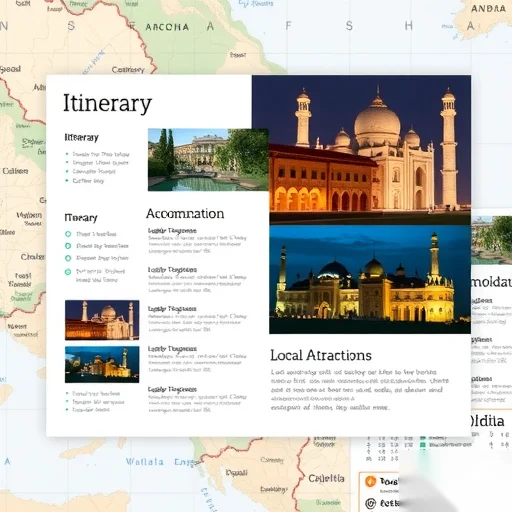
Creating a travel brochure template is easier than you think. Whether you’re planning a trip for yourself or designing a brochure for a travel agency, having a well-structured template can save you time and ensure your content is visually appealing. This guide will walk you through the essentials of creating a professional travel brochure, from understanding the purpose to finalizing the design.
Choosing the right template is the first step in creating an effective travel brochure. A good template should be easy to customize, visually engaging, and suitable for both print and digital formats. Many design platforms offer free and paid templates, but starting from scratch can give you more control over the layout and branding.
When designing your brochure, focus on the key elements that will attract your audience. These include a clear headline, high-quality images, an organized layout, and concise text. The headline should grab attention immediately, while the images should evoke the feeling of the destination. A well-organized layout ensures that your content is easy to read and visually balanced.
Start by outlining the content you want to include in your brochure. Common sections include an introduction to the destination, a suggested itinerary, accommodation options, local attractions, and practical information like transportation and weather. Each section should be concise and well-structured to keep your readers engaged.
Next, choose a color scheme that reflects the vibe of your destination. For example, a tropical destination might use bright, warm colors like yellow and blue, while a mountain retreat might use cooler tones like green and gray. Consistency in color usage helps create a cohesive and professional look.
Typography also plays a crucial role in the readability of your brochure. Use a clear and easy-to-read font for the body text, and a more decorative font for headings to add visual interest. Avoid using too many different fonts, as this can make your design look cluttered and unprofessional.
Designing the layout of your brochure requires careful planning. Start by dividing the pages into sections, and use visual elements like borders, icons, and dividers to separate content areas. Ensure that there is enough white space to prevent the design from feeling overwhelming. A well-balanced layout not only looks better but also improves readability.
Once the layout is set, it’s time to add images and graphics. High-quality images can make your brochure stand out and give readers a better idea of what to expect. Use images that are relevant to each section, and make sure they are properly sized to fit within the design. Avoid using too many images, as this can distract from the text.
When writing the content, keep it concise and engaging. Use short paragraphs and bullet points to make the information easy to digest. Highlight key details such as must-see attractions, local tips, and special offers. Make sure the tone of your writing matches the overall theme of the destination—whether it’s adventurous, relaxing, or culturally rich.
Finally, review your brochure for any errors or inconsistencies. Check that all text is properly aligned, images are high quality, and the layout is visually appealing. Once you’re satisfied with the design, you can print it or share it digitally.
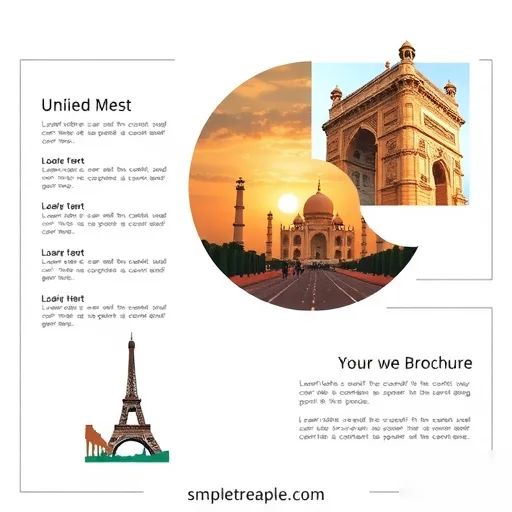
Let’s look at a real-world example to see how these principles apply. Imagine you’re creating a brochure for a trip to Paris. You start by selecting a template with a classic, elegant design. You then add a headline like “Discover the Magic of Paris,” followed by images of the Eiffel Tower, Louvre Museum, and Seine River. The layout includes sections for the itinerary, accommodation, and local tips. You choose a color scheme of red, white, and blue to match the French flag, and use a clean font for the body text. The final brochure is both informative and visually appealing, making it an effective marketing tool.
Creating a travel brochure template is a valuable skill that can help you share your travel experiences or promote a destination. By following these steps and focusing on design principles, you can create a brochure that stands out and engages your audience. Whether you’re a beginner or an experienced designer, the key is to keep your content clear, your layout balanced, and your design visually appealing.




Comments
Anonymous
The example with Paris was perfect. It gave me a clear idea of how to structure my own brochure.
Anonymous
I love the section on choosing the right color scheme. It really helped me understand how to make my brochure more visually appealing.
Anonymous
This guide is very helpful for someone who wants to create a brochure from scratch. I followed the steps and ended up with a great design for my travel blog.